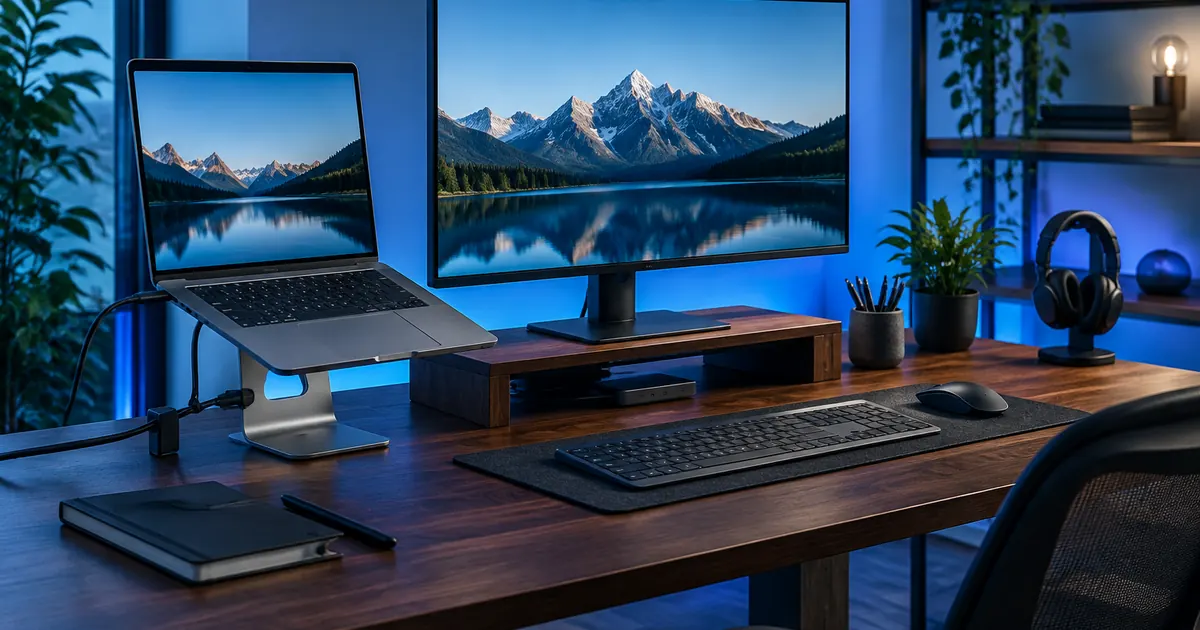
Your laptop is a neck-tax machine. Every inch a screen sits below eye level, your head tilts further forward — and a head that weighs 5 kilograms upright puts 12 or more kilograms of load on your neck at a 15-degree tilt. Eight hours of that is why your shoulders live near your ears. The fix is not a $2,000 chair; it is geometry. Here is how to set up a desk that pays you back.
Rule One: Screen at Eye Level, Always
The top of your screen should sit at — or a hair below — eye level, about an arm's length away. For a laptop, that is physically impossible without a stand: the machine's hinge caps out at 15 degrees, not 15 inches. An adjustable aluminum laptop stand solves it, lifting the screen through a wide height range so you can match your eye line exactly, whether you sit tall or slump a little by Friday afternoon.
Prefer wood, or have a fixed-height desk? A wooden laptop riser gives you a solid lift with a cable clip that keeps your charger anchored — pull the cable, not the laptop, when you stand up.
External Keyboard: The Non-Negotiable Partner
A stand raises the screen but your hands cannot float in the air with it. The moment your laptop rises, you need a separate keyboard and mouse on the desk surface, so your elbows hang at 90 degrees and your wrists stay neutral. This pairing — screen high, hands low — is the entire secret of ergonomic computing. If you use a desktop monitor, a monitor riser with a storage drawer puts the screen at height and gives the keyboard-and-mouse clutter a home underneath.
The 20-8 Rule Beats Perfect Posture
Even a perfect setup fails if you hold it for eight unbroken hours. The research-backed habit: every 20 minutes, look 20 feet away for 20 seconds; every hour, stand and move for a few minutes. Your stand makes the screen position right; the movement rule keeps your spine from filing complaints. Set a phone on a weighted phone stand beside the monitor and the glance-away becomes automatic instead of a chore.
Cable Management Is Ergonomics Too
A desk you cannot rearrange is a desk you stop adjusting — and adjustment is the point of ergonomics. Cables that snag when you pull the laptop closer train you to tolerate bad positions. Two minutes of management fixes it: run power along the desk's rear edge, keep charging cables within reach but off the work surface, and use the riser's cable clip so the laptop can leave the desk without unplugging anything. The Cables & Adapters collection has the braided lengths and hubs that make a clean run possible.
Lighting and the Phone Trap
Two finishing touches separate a good setup from a great one. First, light: the screen should be the brightest thing in your immediate view, but never the only light — a small lamp behind the monitor kills the glare-and-squint cycle. Second, the phone: flat on the desk, it is a posture magnet, dragging your neck down every time it lights up. On a stand beside the screen, it joins your eye line instead of fighting it. For tablets doing picture-in-picture duty, a 360-degree tablet stand handles portrait and landscape without a fight.
A One-Afternoon Shopping List
- Laptop users: adjustable aluminum stand, external keyboard and mouse, one braided USB-C cable long enough to reach.
- Desktop users: monitor riser with drawer, keyboard, mouse, hub for peripherals.
- Hybrid workers: all of the above, plus a foldable phone stand and a spare charger that lives at the desk.
Everything above ships free from the Stands & Mounts collection — and your neck starts thanking you from the first afternoon.
Choosing Between Stand Types
Not all stands solve the same problem. Adjustable aluminum Z-stands are the choice for shared or changing desks — the height range covers sitting tall and standing perches alike. Fixed wooden risers suit a single dedicated workstation: cleaner look, cable clip included, and no hinge to ever loosen. Monitor risers with drawers are for desktop monitors (or laptops used with an external screen), adding storage to the height they already give. Tablet stands round out the kit for reference screens and kitchens. Match the stand to how the desk actually gets used, not to what looks best in a product photo.
Chair Height and the Geometry Chain
Screen height is only half the chain: the chair sets it. Feet flat, hips at or slightly above knee level, elbows at 90 degrees with forearms parallel to the desk — then set the screen to the eyes, not the eyes to the screen. If the desk is too high for proper elbow angle (common with fixed-height desks), raise the chair and add a footrest rather than shrugging all day. The sequence matters: chair first, keyboard and mouse second, screen last. Buying a stand before fixing chair height is putting a roof on walls that are not framed yet.
What a Good Setup Costs
Less than one co-pay, usually. A quality aluminum stand, a monitor riser, and the cables to tie it together land in the $100–150 range — the price of a single massage appointment, for a fix that compounds every working day. The Stands & Mounts collection keeps the whole list free-shipping, and every piece carries the same 30-day promise: if the geometry does not work for your body, it goes back.
Ready to upgrade your setup?
Every piece mentioned ships free in the USA — and it's tax free.
Shop Chargers & Power Shop Stands & Mounts